
Run your one‑person service business from your phone.
ServiceCall keeps the day's jobs, the route, estimates, invoices and payments in one app. Built for a solo technician, not a dispatch office.
Free for 14 days. No credit card to start.
For iPhone. Works in 37 languages, with your local currency and tax rates.
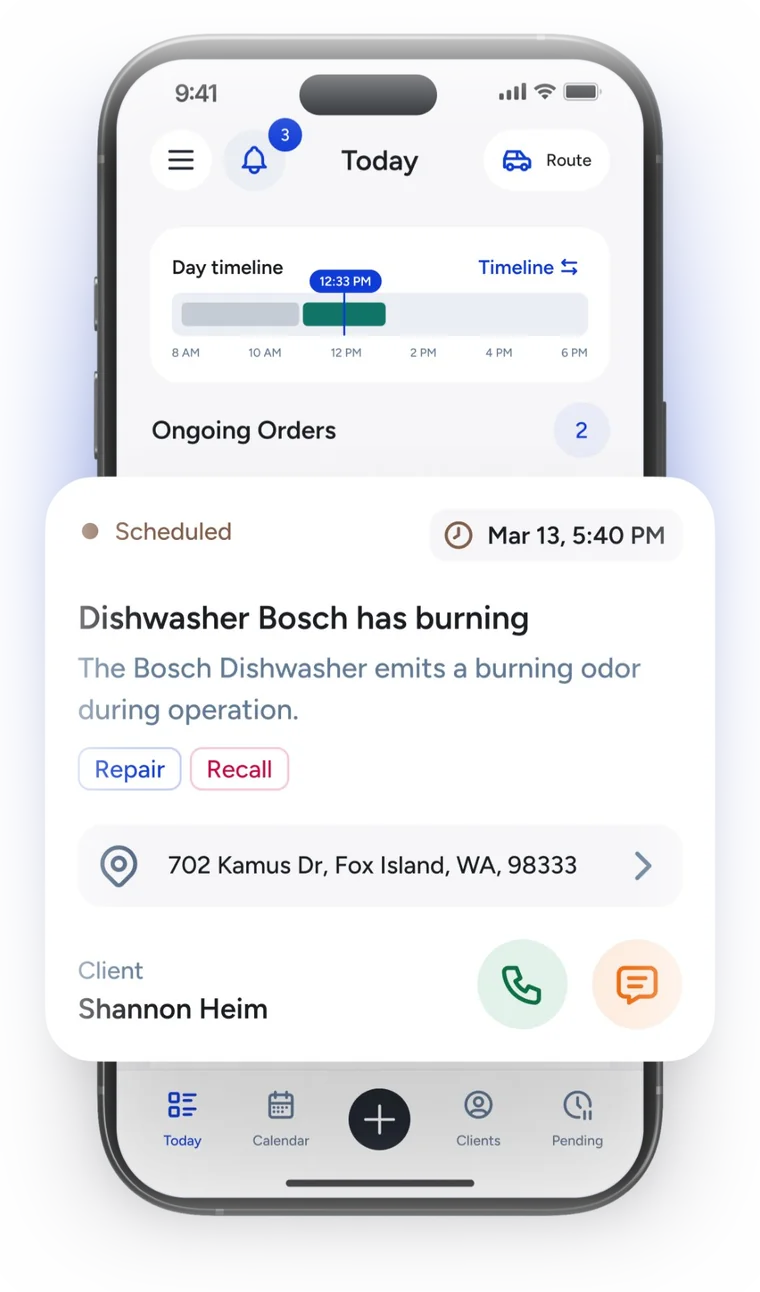
One day with ServiceCall
Every screen below is the real app. This is what a working day looks like when the paperwork rides along in your pocket.
-
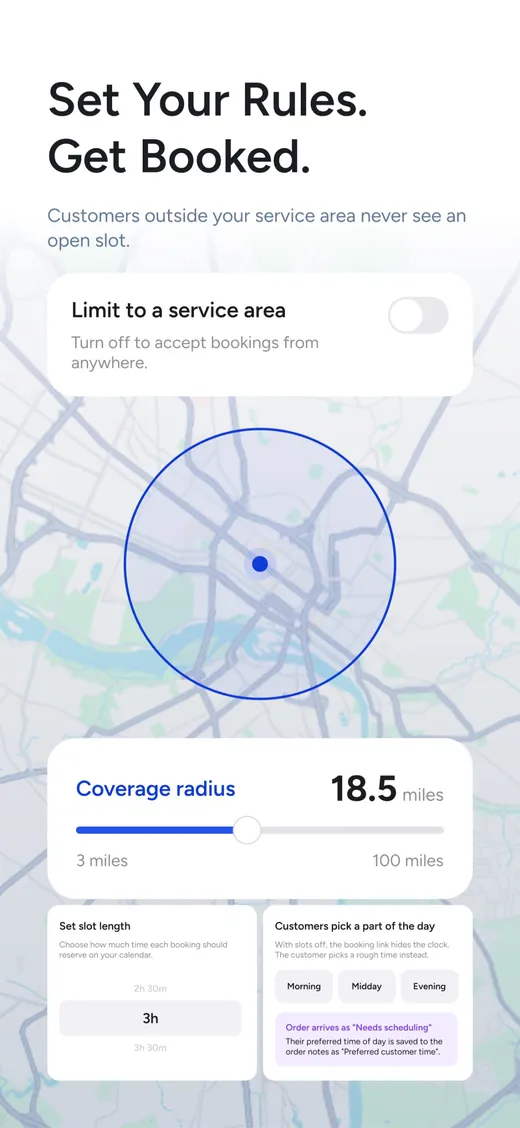
A booking comes in
A customer opens your booking link, picks a slot inside your service radius, and the job appears in Today marked Needs scheduling. Customers outside your area never see an open slot.
-
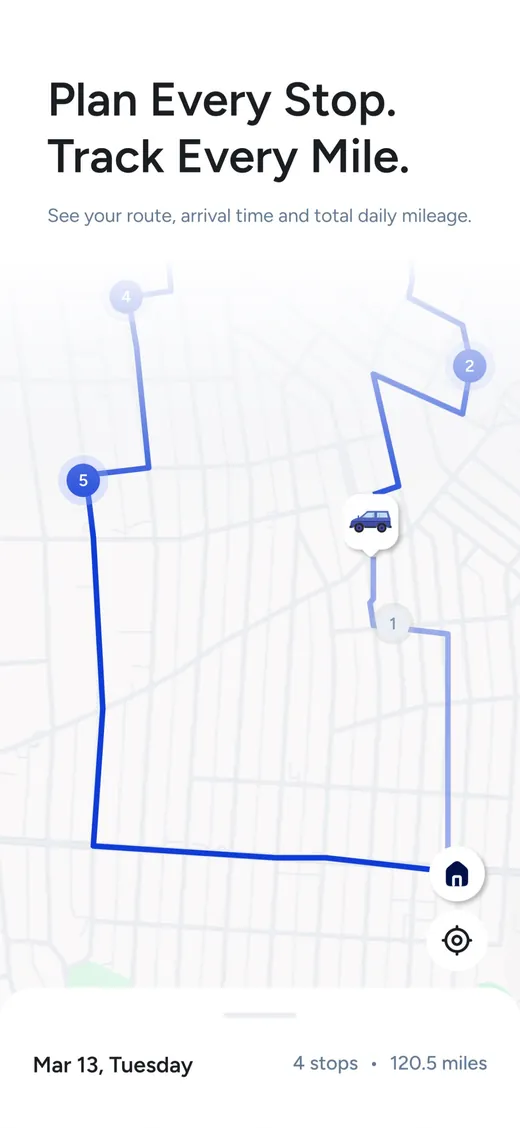
The route for the day
Stops in order, arrival times and total mileage. Open any stop in your maps app with one tap.
-
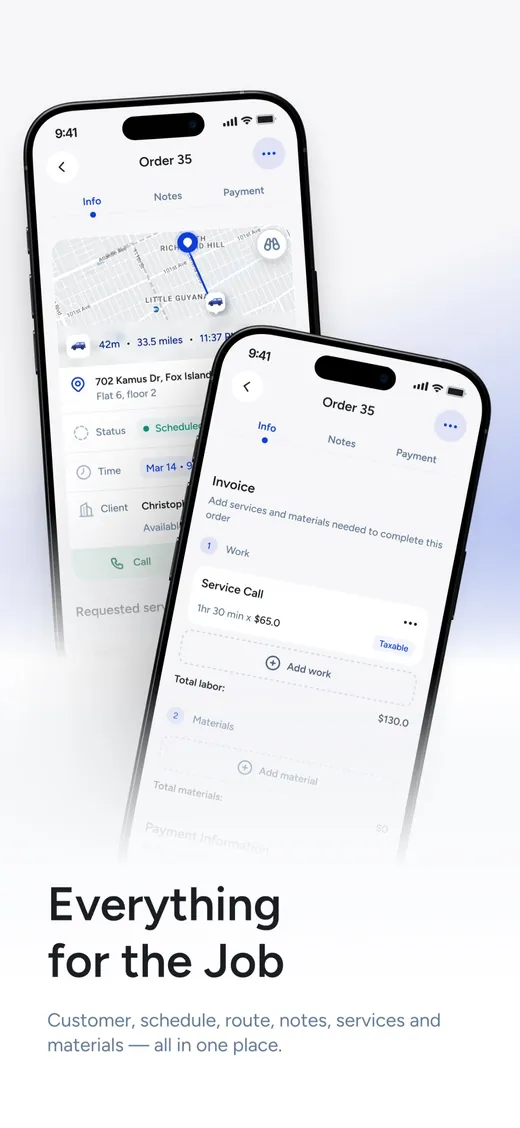
On the job
Address, notes, the customer's history. Call or text them from the order. Labor and parts go onto the invoice while you work.
-
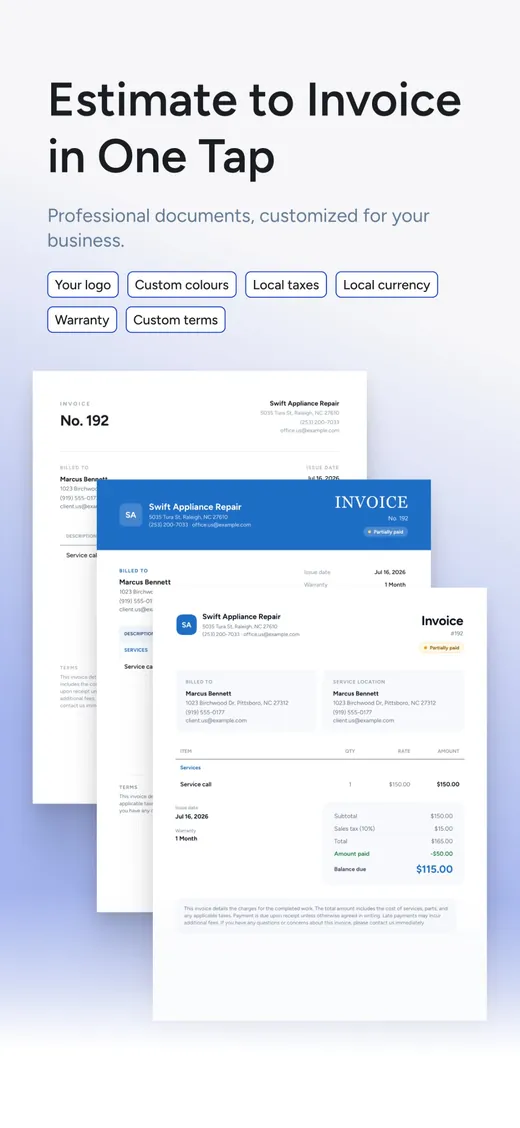
Estimate becomes invoice
One tap. Your logo, your colours, your warranty and terms, local tax. The customer gets a clean PDF.
-
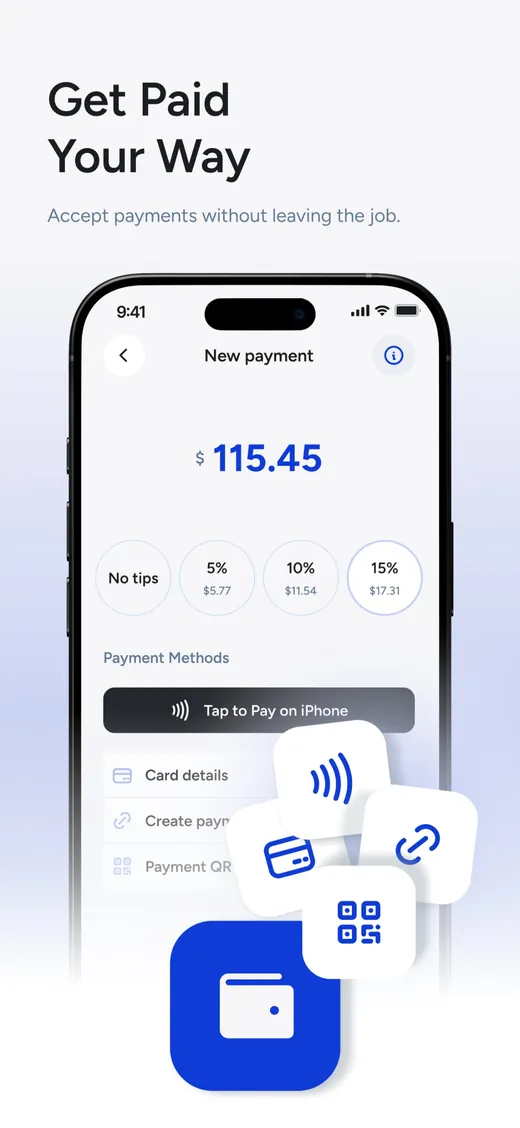
Paid at the door
Tap to Pay on iPhone, card, a payment link or a QR code. Tips included. Cash and checks are recorded too.
-
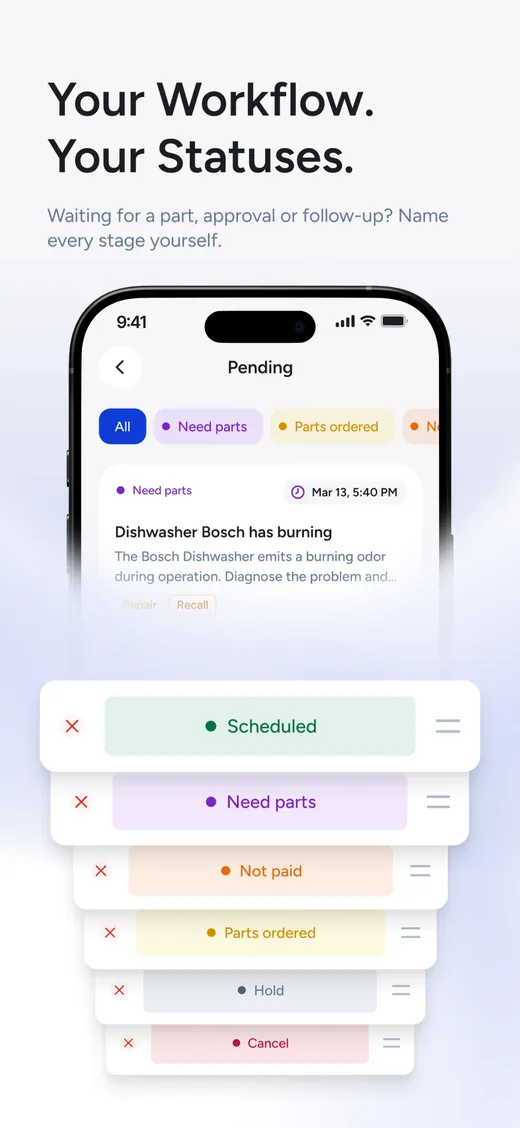
Waiting for a part
Move the job to Need parts, Parts ordered, Hold, or any stage you name yourself. Nothing gets lost in a notebook.
-
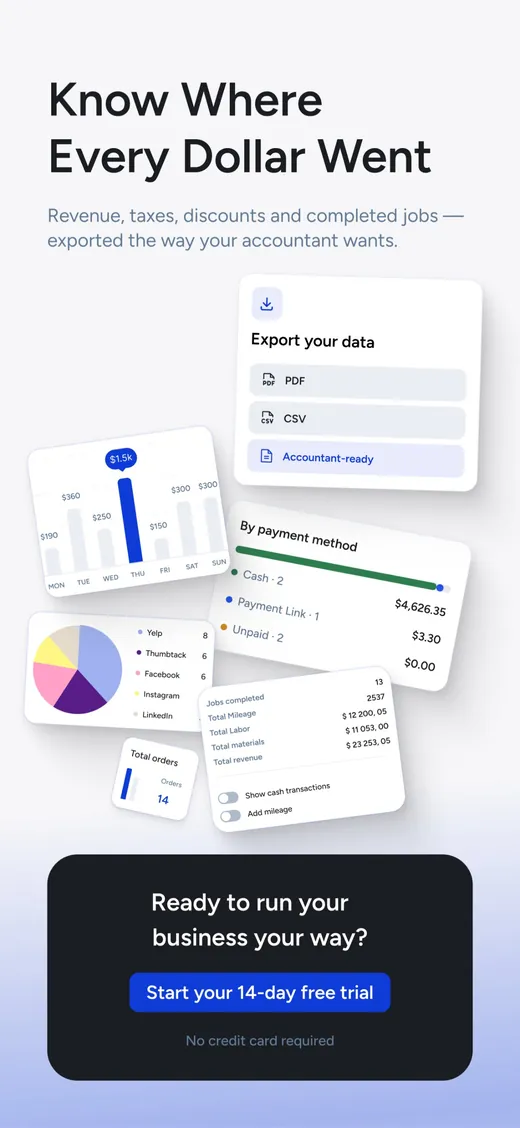
The day in numbers
Revenue, completed jobs, mileage, payment methods. Export PDF or CSV the way your accountant wants it.
What's inside
Jobs and schedule
- Today shows the day on a timeline with the next job on top.
- Calendar with days off, so bookings never land on your Sunday.
- Statuses you name yourself: Scheduled, Need parts, Not paid, Hold, whatever your work needs.
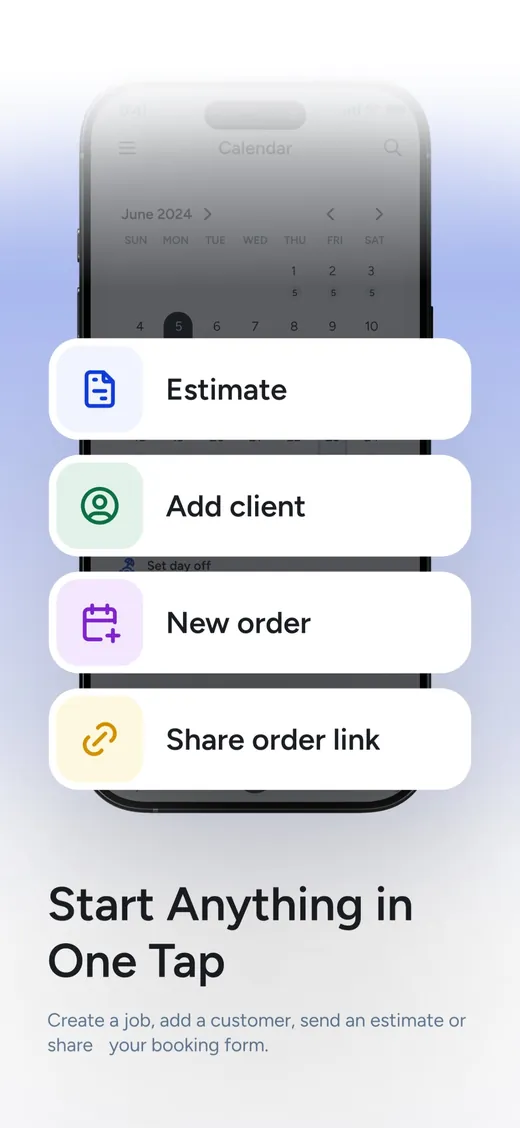
- Start anything in one tap: an estimate, a client, an order, or share your booking link.
- Route for the day with arrival times and mileage.
Customers
- Every customer with their addresses, appliances and job history.
- Caller ID: when a saved customer calls, the phone shows their name, labelled Identified by ServiceCall.
- Call or text straight from the order.
- Online booking link with your service radius, your slot length, or a simple morning / midday / evening choice.
- Bookings outside your area are never offered a slot.
Money
- Estimate to invoice in one tap, with services, parts and labor.
- Your logo, colours, warranty and terms on every document.
- Local taxes and local currency.
- Tap to Pay on iPhone, card, payment link, QR code, cash or check. Tips too.
- Reports by day and by payment method, exported as PDF or CSV.
Made for one person
Team software charges per seat and assumes there is a dispatcher at a desk. ServiceCall assumes it is you in the van: no admin console, no seats, nothing to set up for other people. Everything you actually use, none of the software you don't.
- One personOne subscription, one phone, your whole business.
- 37 languagesWith local currency, tax rates and document formats.
- Your name on itYour logo and colours on every estimate, invoice and booking page.
Try everything free for 14 days
No credit card to start, and nothing is locked during the trial. After that it is one subscription for one person, paid through the App Store; the current price is shown there and you can cancel any time.
Download on theApp StoreQuestions
Is ServiceCall for teams?
No. It is built for one technician running their own business. There are no seats, roles or dispatcher screens, which is exactly why it stays simple.
Does it work outside the United States?
Yes. The app speaks 37 languages and uses your local currency, tax rates and document formats, so an invoice looks right wherever you work.
How do customers book me?
You share a booking link, from the app or on your website. Customers inside your service radius pick a time slot of the length you set, or just a part of the day. The booking arrives in Today as a job that needs scheduling.
How do I take payments?
From the invoice: Tap to Pay on iPhone, card details, a payment link or a QR code, with optional tips. Cash and checks are recorded so your reports stay complete.
What happens after the 14-day trial?
You subscribe through the App Store if you want to keep going. Your data stays in place. If you stop, nothing is charged.
Free for everyone: appliance error codes
Our catalog explains error codes from 23 appliance brands in plain English: what the code means, common causes, what to check first. Handy on the job, and for customers who want to understand what is wrong.
Write to us
A question before you start, a feature you miss, something that does not work the way you expect: send it here and a real person answers, usually within a working day.